What to look out for when setting up a new website
My top tips for a good start with your website

Are you one of the 27% of small and medium sized enterprises (SMEs) that don’t have a company website? Or do you have one, but you’re not happy with it and would like to update it?
This blog post will give you some pointers regarding what to look out for when you’re setting up a new website.
Websites are an essential tool for any company nowadays. They provide information about your business, products, services and how to contact you, serve as a business card, represent your brand, provide an online sales platform, let people find you online… There are many reasons why businesses need a website. However, when it creating and managing websites, there are a few things that can go wrong.
1.) Content management control : When you involve an external contractor to set up your website, make sure that you will end up having access to the content management system of the website when it is finished. You want to be able to make quick copy and image changes yourself, possibly create new pages and the like.
If your contractor won’t let go of the website control, they will be an on-going drain of money as only they can make changes to your website and will charge you for that. If the website set up is cheap in the beginning, they might have worked out a way of making sure they will earn money in the long-term.
2.) CMS user friendliness : Ask for a demonstration of the content management system (CMS) before you get the website set up. Some content management systems can be really difficult to use. This can be a pain in the butt on an every day level and also prohibit you from making the website look and work the way you want it to. It is worthwhile giving it a “test drive” before you commit to it in order to make sure you will be comfortable with it.
3.) Custom code integration : Can custom code – e.g. specifically developed by a website developer – be integrated into your website or are you limited by what the content management system will allow? It is important to ask this question so that you can make sure that you can create the website to do exactly what you would like it to do.
4.) SEO friendliness : SEO (search engine optimisation) is important for your website as it will only be found online when you are using the right keywords on your website in the copy and also in other places (images, headlines, links, blogs, videos, etc.).
Google and other search engines are so successful because they provide relevant information to the people who are looking for it. E.g. if you search for “garden plants” you will expect to find a selection of websites that are probably going to be relevant for this search term.
You will therefore want to know what the most commonly searched keywords relating to your business and industry are and make sure that they will be used on your website. Getting someone to assist you with this who has a good understanding of SEO is important in order to make your website visible online.
5.) Website migration : So, you want to change your domain name and create a new website? This can be an absolute SEO nightmare as if you don’t redirect your old website pages to your new website pages in the right way, you will lose any SEO ranking you already had for your old website.
It is really important to get someone with expertise in migrating websites and redirecting links from your old pages to your new pages to help you with this challenge. Otherwise you will be starting from scratch in terms of SEO ranking.
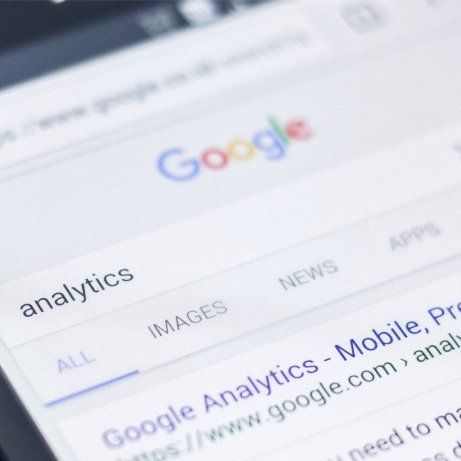
6.) Statistics : Do you know how many users are visiting your website? Can you look this up in your content management system (CMS) or via an external tool such as Google Analytics?
If you don’t have access to your website’s statistics you are basically flying blind and have no idea whether anyone is actually looking at the information you provide on your website or whether your efforts to drive people to your website through your marketing activities is actually working or not.
Google Analytics is a tool that can usually be implemented relatively easily and does provide a ton of insights. You can also set up custom reports, filter out visits you don’t want to count (such as from your own staff) and get tips on how to improve your website from a search engine perspective. And best of all: It does not cost a cent.
7.) Mobile friendliness : This is almost a given nowadays, but nonetheless absolutely critical for the user experience and Google ranking.
You have to make sure that your website will be optimised for mobile phones, which means that it shows your website data in a different way on mobiles than it would on a desktop. This makes it easier to read and navigate on a mobile and improves the user experience.
8.) Photography : The visual representation of your company, products and brand is extremely important – no matter what your industry is. Therefore, I strongly recommend making sure that you have high quality images available. Always check what resolution is required to make your images look the best they can. Nothing is worse than pixelated and distorted photos all over your website.
You can get high quality images either through professional photography (e.g. of your premises, staff, products, etc.) or by purchasing stock images online. If you have some time to spare, there are also some websites with free stock images available, but it takes a bit of time and effort to find them. Some website builder platforms also include free stock images that you can use, but of course other companies might be using the same ones and it could create a “seen that before somewhere” feeling when people visit your website.
If you don’t have the funds for professional photography, ask in your circle of friends if there is anyone with a passion for photography that would be happy to help out. Quite often that is still better than using your iPhone photos.
Either way, check that your photos look good on the desktop and mobile versions of your website.
9.) User experience : This point should probably be the first point because it is so important, but I started off with more technical aspects.
Absolutely critical for the success of your website is the experience your (potential) customers will have on your website. Is your menu visible and logically structured? Is it easy to buy products online? What are the website page loading times (very important for SEO also!)? Are your contact details easy to find?
The key is to make anything you might want your customers to do on your website as easy as possible for them. I would recommend to get family, friends and maybe even some customers you have a good relationship with to test drive your new website before it is launched. Ask them for honest feedback as only this way will you actually be able to improve.
I hope this selection of tips will be useful for you when you are setting up your next website. Whilst writing this blog post I kept thinking of more and more points I could add, which shows that it is not that straight forward to set up a website and that there are a lot of things to be aware of.
Have you had any good or bad experiences when setting up your website? Please share your experience in the comments below.
If you are interested in a conversation about marketing support for your business, please don’t hesitate to contact Shoots Marketing Consulting via julia@shootsmarketing.com.au or by calling 0447 235 000 .